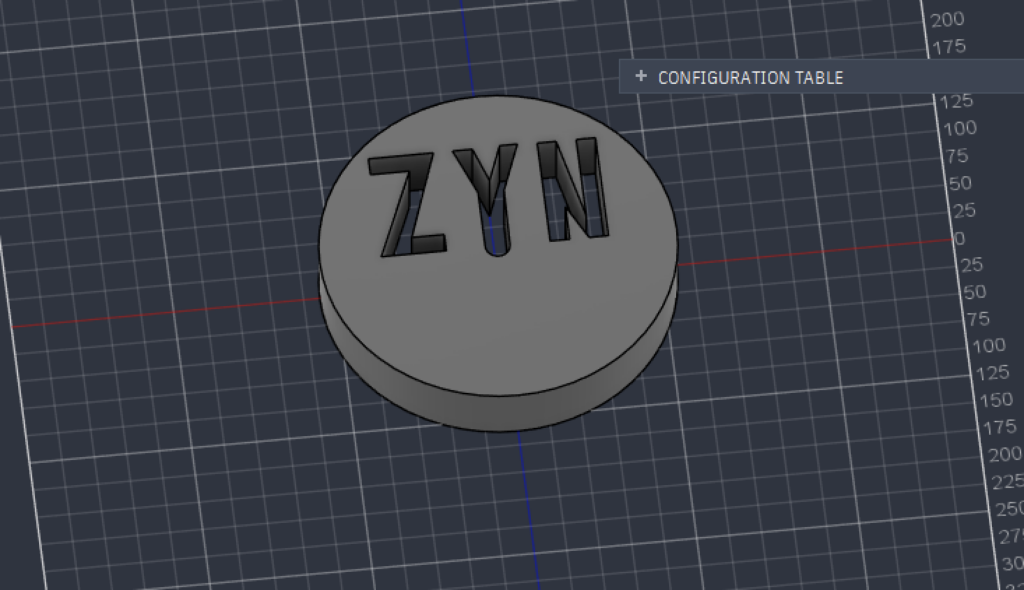
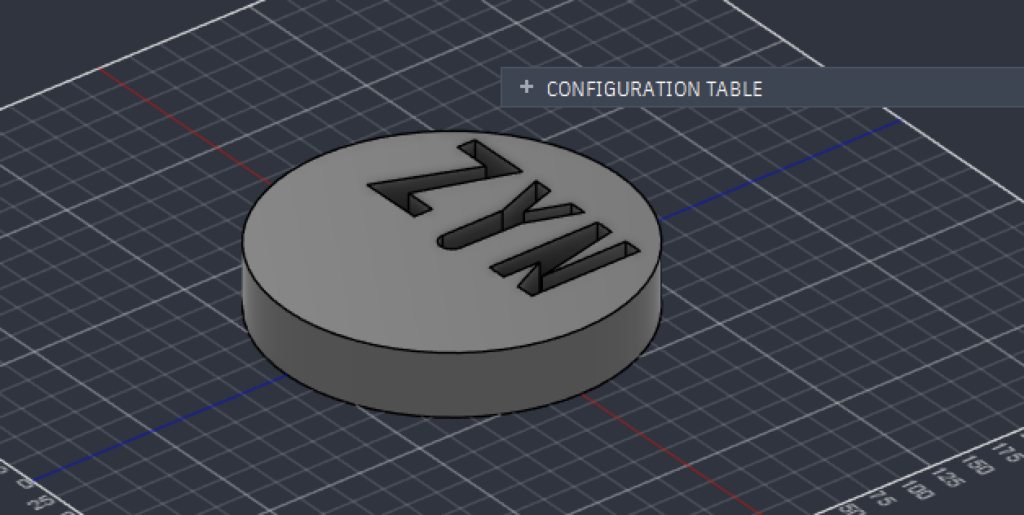
Working with Fusion 360 to model a ZYN container with extruded lettering was both a precision exercise and a steep learning curve. The hardest part was managing sketch planes, geometry constraints, and clean text cutouts, which required adjusting to strict spatial coordinates and precise dimensions. To keep the project manageable as a beginner, I compromised by focusing on the overall form and proportions rather than modeling complex internal mechanisms or fine textures. For fellow novices, my biggest tip is to fully dimension and constrain your 2D sketches before using the Extrude tool, and to use keyboard shortcuts like D (Dimension) and E (Extrude) to keep your workflow efficient.
Beyond simple CAD design, 3D modeling offers infinite possibilities for digital humanities scholarship and public engagement. In research and teaching, spatial modeling allows scholars to digitally reconstruct fragile or lost historical artifacts, analyze how historical tools and spaces functioned, and create accessible public exhibits. Instead of relying on static 2D photos, students and museum visitors can zoom, rotate, and interact with digital objects, democratizing access to cultural heritage. You can interact with my Fusion 360 model below: