Group: Anahita, Jesse, and Mallory
Group Reflections:
We are working with the Kasuga Stone Lantern as our feature for the Japanese Garden field guide project. It was interesting getting to see how different methods and software modeled the same feature and were able to deal with representing challenging features of the object, such as the hole in the middle of the lantern. Working with this technology has not only made us more familiar with different photogrammetry and 3D modeling techniques, but also with the lantern itself. Given that the same stone material is used for the entirety of the piece, at first glance it is really easy to miss some of the smaller details. However, modeling the image gave us the ability to “return” to the lantern multiple times, highlighting features such as the relief of the deer or the incisions on the bottom of the lantern.
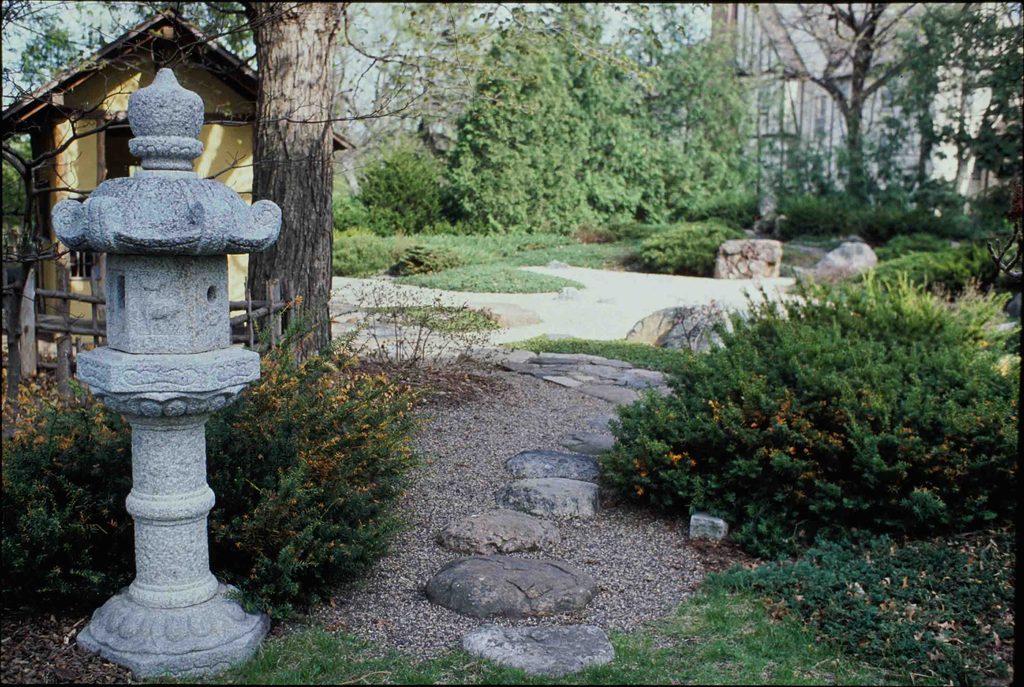
Becoming familiar with the history of the Japanese Garden helped with this experience as well. Looking at archival photographs of the Japanese Garden and noticing the Kasuga Stone Lantern throughout the years makes the work we are doing feel even more important and connected to Carleton’s history. In an abstract sense, we thought it was interesting considering the long history of both the Japanese Garden and the Kasuga Stone Lantern itself in the context of our models. Being able to see the wear and age reflected in the physical condition of the lantern, both in real life and also in our models, was interesting and a large positive of being able to create these models. A still, two-dimensional photograph of the lantern would be interesting, but wouldn’t hold the same historical weight. Being able to interact with and clearly observe the intricate details of the lantern is greatly beneficial, and a large reason why these digital humanities technologies are so important and useful.
Individual Contributions:
Jesse: For this project, I used Scaniverse to create a 3D model of the Kasuga Stone Lantern. On the whole, I found the process to be straightforward and the app is very user friendly, though it took a couple of drafts to get the model to look cohesive. This tool employs LiDAR, which is now integrated into iPhones, to create digital models.
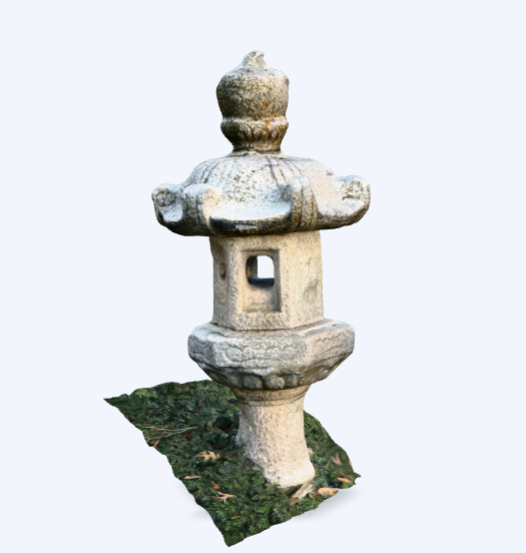
Mallory: I used Polycam for this project, creating both a 360 panorama of the garden from next to the Kasuga Stone Lantern as well as a 3D model of the lantern itself. Both processes were fairly straightforward on the app, which I appreciated greatly. The 3D model was surprisingly accurate for how quickly I worked with the app to make it, and I liked how it automatically took photos while I walked around. The 360 panorama was also easy, but the first iteration I created looked pretty bad. The second was better, once I was more familiar. They also had a feature in which AI would fill in the top and bottom of the 360, which I tried. Unfortunately, it looked even more terrible than I would’ve expected, so I would not recommend that feature for the future.
Anahita: I took 43 photos of the lantern, trying to prevent my own shadow from impacting the texture of our final product. Our piece was backed against a fence in a bush surrounded by delicate cultivated plant growth, so I tried to minimize the damage to the plants while still getting good angles of the back of the lantern. My two main worries were my shadow casted on the lantern, as the sun wasn’t high enough to prevent a phone-shaped patch on many of the photos, and the hollow in the center of the carving. I knew my photos weren’t going to be able to capture the cavity very well from my experience scanning the spinal cord structure in animal vertebrae, so I took more photos around the lantern’s largest mouth to capture enough texture to allude to a hole. I am glad the program seemed to have no problem with my photos and made a pretty decent product, but I think the scanning apps still have it beat because of their ease with capturing that troublesome internal cavity.