For this lab, I designed a phone in Fusion 360 because my phone is something I use every day and I thought it would be interesting to try to recreate one as a 3D model.
The process started with creating the basic shape of the phone using sketches and then extruding them to make the model 3D. I had to make sure the dimensions were accurate and that the edges and corners lined up properly. After I had the main body finished, I created sketches for the cameras and buttons to make the phone look more realistic.
One of the harder parts was getting all of the smaller details in the right places. It was sometimes difficult to make sure the screen and cameras were centered and lined up correctly. One compromise I made was keeping some of the smaller parts the same color because I could not figure out how to make each part a different appearance.
Overall, the process helped me get more comfortable with Fusion 360 and gave me more experience with sketches, extrusions, dimensions, appearances, and creating a detailed 3D model. My main tip for someone using Fusion 360 for the first time would be to take time to learn the different tools before starting, because knowing how to use them can make the modeling process much easier.
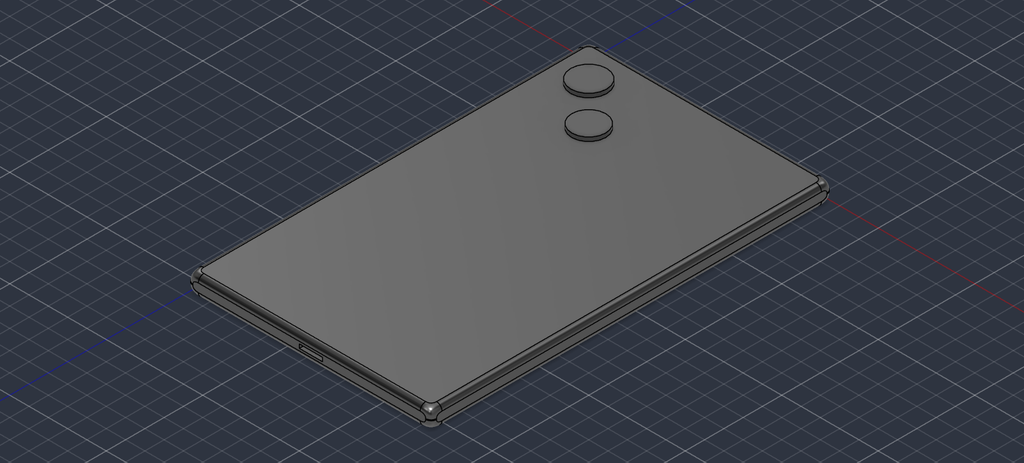
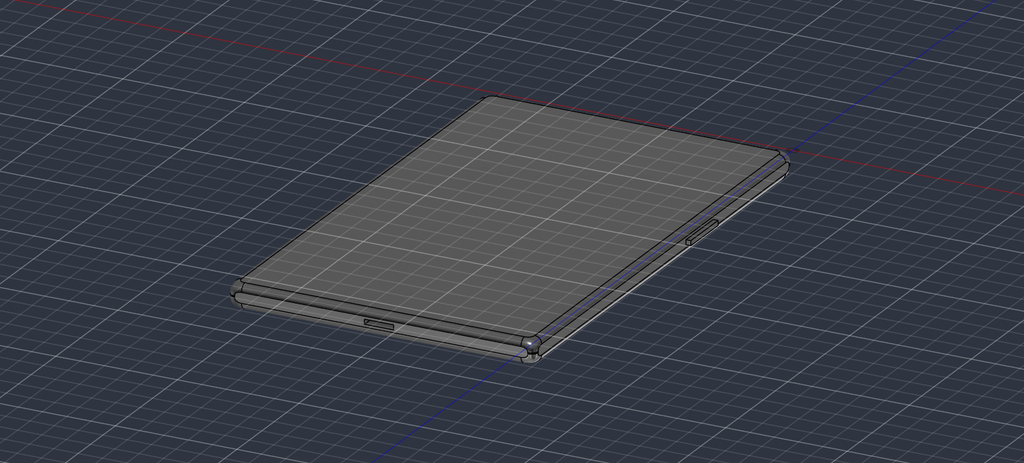
I also modeled an iPhone, and therefore had quite a similar experience when using Fusion 360. Indeed, aligning all those details such as the cameras and the buttons was among the most difficult parts. However, as I continued using the program, the work with dimensions became much easier for me.
Great job recreating an everyday object. The proportional dimensions and button placements were perfect.
Your tip about taking time to learn the toolset first is spot on, and it is honestly something I should have taken more time to do. For the appearance issue you ran into: Fusion 360 actually lets you apply appearances to individual faces rather than whole bodies. If you press A to open the Appearance menu, you can toggle the “Apply to” setting at the top from Bodies to Faces. That lets you color individual camera lenses or button accents separately without splitting the body!
This phone design is pretty cool Faimon. My favorite part is the charger port that you added on the bottom is a nice touch. I agree with you that getting the smaller designs in the right places can be difficult from my experience.