It was my first time using Fusion 360, and it was quite hard to use at the beginning. It was difficult to explore all the tools and learn how to use them to make my own model at first, but I became more familiar with everything after practicing with several tutorials. One particular thing that bogged me down while modeling was that I couldn’t figure out how to remove chunks from a model I had already built. It took me some time to locate the function and learn how to use it. For this project, since the chair I modeled was hollow inside, I was supposed to build it hollow from the start. However, I forgot about that at first, so I had to remove the inside later. Fusion did not work the way I expected it to, so it looked a bit weird at the time. Also, Fusion wouldn’t allow me to color the chair as I wanted, so I had to leave it gray for now (even though I wanted to color it red).
I do not actually have this chair with me right now, but it is a classic chair that was everywhere during my life in China. I don’t think I have seen it here in the US, so it is a unique and meaningful object for me.
As far as I am concerned, 3D modeling can be used to digitally reconstruct damaged, lost, or incomplete cultural heritage, such as ancient buildings or historical landscapes. Through 3D modeling, scholars can rebuild historical sites using old texts and photographs. It allows the humanities to go beyond text-based research and enter into a dialogue with space. This technique turns people from passive observers into active discoverers by giving them a tool for agency.
One piece of advice for other Fusion users is that there is a “Cut” operation within the Extrude tool. It is really useful when you want to make a hole or create an inward shape in your model. Also, make sure to save your file before Fusion gets stuck, forcing you to refresh the page and lose all your work!
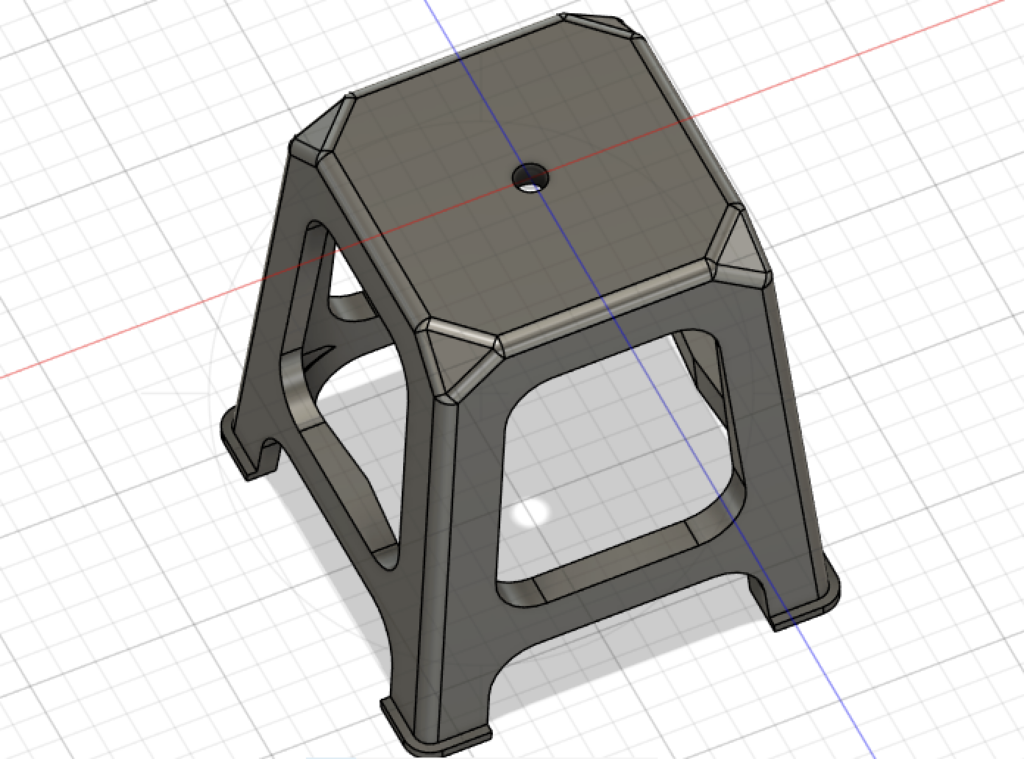
top view of my chair
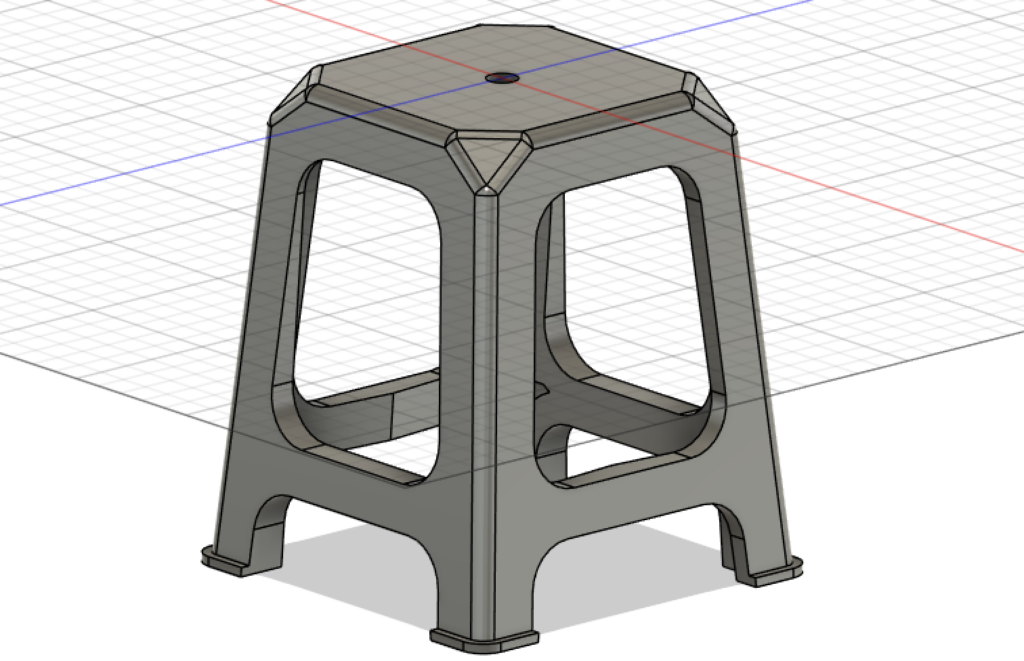
side view of my chair
I thought it was really interesting that you chose a chair that has personal meaning from growing up in China, especially since it is something you do not really see in the U.S. I also had trouble with Fusion at first and figuring out where certain tools were. I did not use the “Cut” feature in my model, but that honestly would have helped me a lot. I also liked your point about 3D modeling being useful for reconstructing historical spaces, and I am definitely interested in using 3D modeling for historical projects in the future.
Mandy, I think it is kind of funny how blunt you are about how difficult you found Autodesk to be, considering that your model turned out so incredible and complex, especially the curved lines! I especially relate to your comments about the process of modeling becoming much easier once the location of the tools became more obvious, and the difficulty of hollowing out a shape that was already made. However, as far as the latter comment goes, I did not succeed with hollowing out what I was intending to, so I am glad it turned out better for you!