Team members: Matilda Lindgren, Lily Flynn, Mandy Zhang
Our team is looking at the Yukimi lantern, which is also referred to as the snow viewing lantern.
“This type of Japanese stone lantern is typically placed near water, as it resembles a small hut built near a shore. “Snow viewing” refers to the phenomenon of snow piling up on the wide, low angled roof of the lantern. Designer David Slawson and gardener Mary Bigelow constructed this lantern to look as though it was a natural rock formation.”
Each team member focused on one method of modeling the lantern. Lily worked with Scaniverse to create a mesh model; Mandy used Polycam to create a 360° panorama of the view from next to the lantern; and Matilda captured photos for the photogrammetry image set.
Overall, we found that creating 3D models provided valuable insight into what data makes up each model and how we might use different kinds of 3D models for a project. For instance, Scaniverse was a quick and easy way to capture an object, save the raw data, and view the results. Polycam was better for considering objects in the context of a larger area, although its use of AI to fill in blank spots is something to be mindful of. Photogrammetry, on the other hand, provided a useful perspective on what makes up a 3D model, but the process was much more arduous.
Lily: Overall, I had a lot of fun working with Scaniverse to create my 3D model. I was surprised by how user-friendly the app was; it did not take long to create my model. I simply downloaded the app, clicked the plus sign, selected “mesh model,” and started my scan. I moved my camera all around the Yukimi lantern to capture it from every angle. When I finished, I was able to easily transform the data into a complete 3D model, which I uploaded to our shared Google Drive. My favorite part of the process was comparing the initial captured frames with the actual model. This gave me a better understanding of how 3D modeling works with a camera and what exactly goes into creating a 3D model.
Mandy: I used Polycam to create a 360° panorama of the Japanese garden from a position near the lantern. The task was a bit confusing at first: our subject was a very specific object, but shooting a 360° panorama required me to rotate in place and capture the entire surrounding environment. In the end, I stood in front of the lantern and photographed the environment around it. One thing I found very interesting was that Polycam uses AI to fill in the parts I did not capture, such as the sky above and the ground below, producing a complete spherical impression. However, the exported image looks like that sphere has been unwrapped into a flat map. Unlike the other models, Polycam captures the entire environment containing the target object rather than the object itself. This allows us to better locate the object within its surroundings and analyze it in context.
Matilda: I took around 50 images of the lantern for the photogrammetry set, slowly moving around the object to make sure I captured as many images as possible. Throughout the process, I was worried that I might miss part of the object, so I carefully took photos from each side of the lantern, as well as from underneath and above it. I attempted to create the photogrammetry model by uploading the photos I had taken into Metashape. I was able to create the basic outline of the model fairly well. However, when I tried to finish the model, it turned into an exploded version of the lantern. My teammate Mandy was able to create the model accurately instead. I was not sure why my model did not turn out the same as Mandy’s, because I thought I had followed the same steps. Unfortunately, I was not able to figure out how to fix the exploded model.
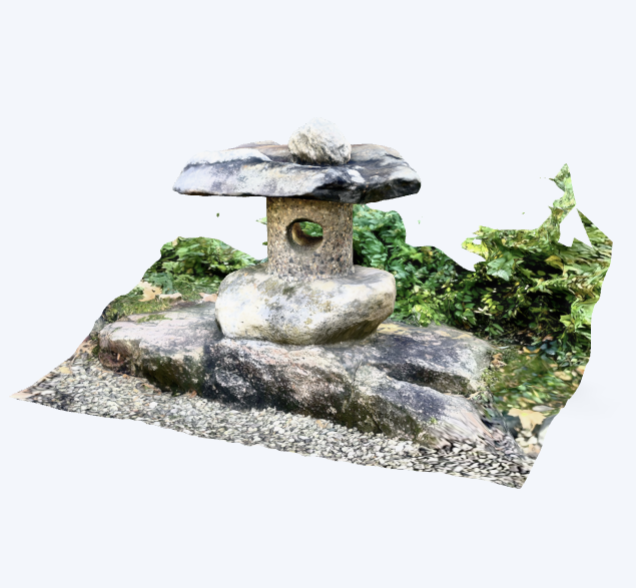
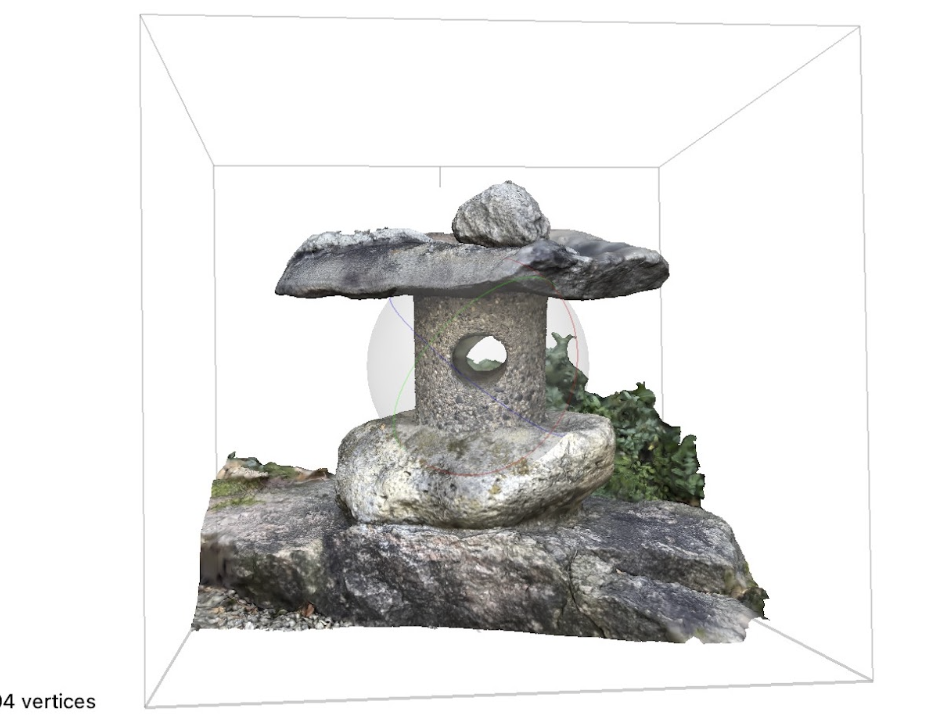
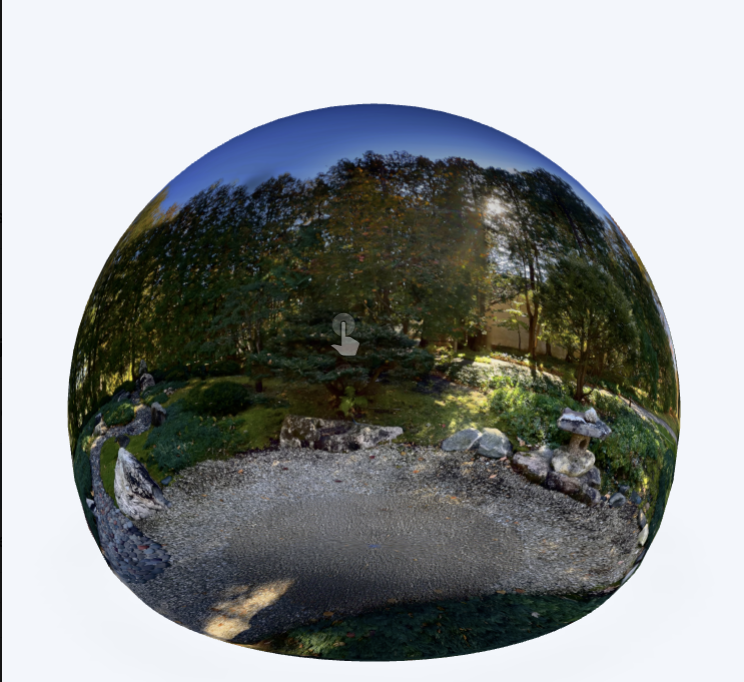
Woah, all of these models look stellar! Even though the bushes were a little off, the rocky texture of the snow lantern is clear and detailed. I could definitely see this being in a real digital map of the garden. I do wonder though, what steps are taken for the leaves in professional contexts?