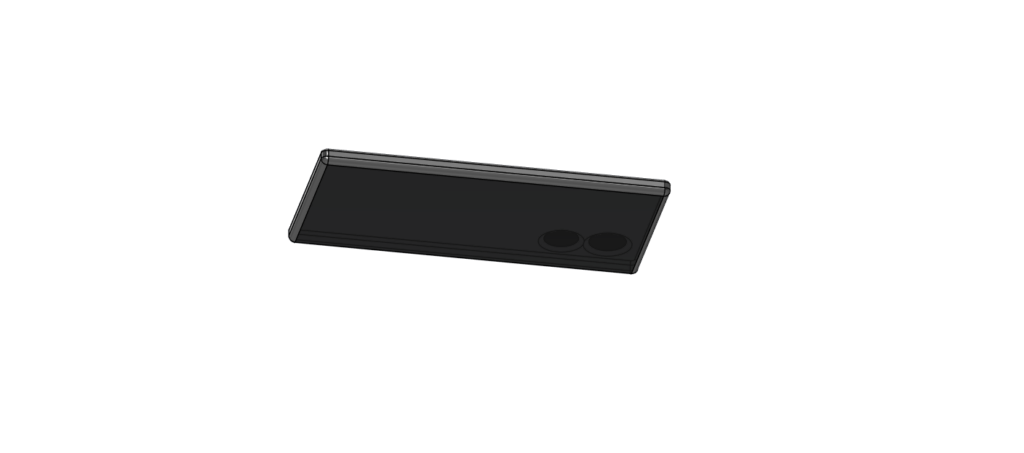
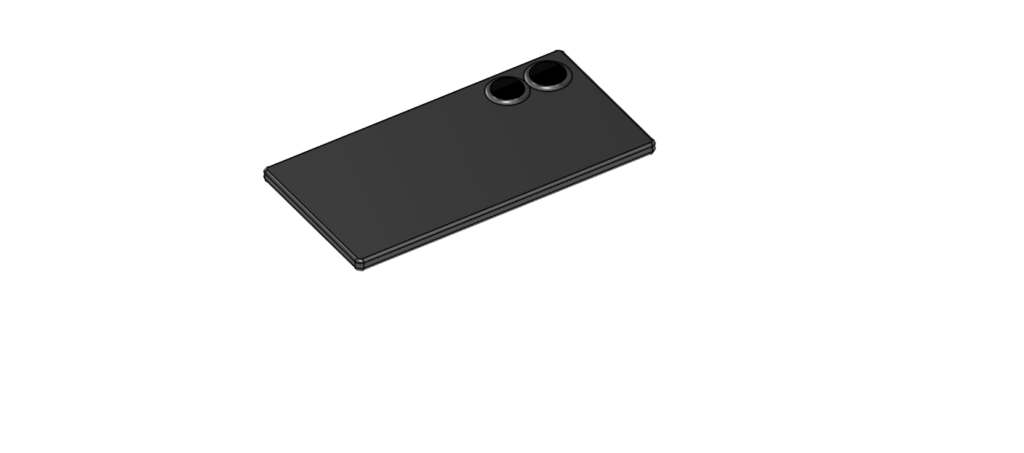
For this weeks lab I chose to make a 3D model of my phone. The assignment was to make a model of something close to you so I chose the item that goes with us al everywhere and allows us to connect with those who are close to us.
My process
I’m sure if I was familiar with 3D modeling and Fusion 360 the process of making this model would’ve been about as simple as it gets. However, I had a challenging time throughout the whole project due to my lack of familiarity with how software like this works. Throughout my whole high school education I had never worked with a 3D modeling application or even spent much time with digital work at all. So it took plenty of trial and error, tutorials online, and time to figure out how to make this seemingly simple item.
The biggest challenge I faced was changing the different surfaces and materials on the faces of the cell phone. As I watched and read different tutorials I felt like because I didn’t have a mouse it was working a little different for me and that frustrated me quite a bit. I had to use a darkened glass for the camera’s and the screen and for the life of me I could not figure out how to keep it from making the whole phone turn to glass. Eventually, and through a mildly time consuming process I was able to figure it out and of course when I did I was further frustrated that I didn’t figure that out sooner.
Even though I was able to round the sides of the phone and the slant up to the camera, the area I had to compromise was a mild “see through” effect that can be seen from the screen to the front camera. I wasn’t able to figure out how to place something in between the two to prevent that so I darkened the glass further and now it’s only mildly there.
The role of modeling in the humanities
I believe that the roles of 3D modeling are growing rapidly. One of the biggest uses for 3D modeling is making history and culture more accessible to all. All students learn through standard reading and pictures and 3D modeling can provide a more hands on experience to students to help them better fully grasp the concepts they’re working with. I also believe that it could provide a much more accessible experience to all students, opening more doors for them find their passions. It allows anyone who has a computer to see a 3D model of ancient buildings, important modern buildings, and even natural landmarks in a way that students have never had before. I believe it can also create a space where people are better able to articulate and create upon their ideas. As it allows for creation of models and different spaces it allows creators to create more in depth concepts of things that previously they were limited to only simple drawings on a two dimensional plane.
If I had to give a tip when it comes to using Fusion360 and 3D modeling in general I would say that you can us the filet tool to round all edges of a surface without having to select them all one by one. Once I figured this out it saved me a lot of time and made my work much more accurate.
Your phone model looks awesome, and it’s clear you put a lot of effort into figuring out the tricky parts. The material and glass issues sounded super frustrating, but you pushed through and made it work. The final result turned out really solid.
Your cell phone model is very impressive. I think that your tip about using the fillet tool to round all the edges of a single surface at once is very useful, and I will definitely remember that when using the fillet tool on my own projects. I think the materials you chose in the end look great.